
Photos & reports · 2 minutes reading time
Create a property report as a PDF
Document all or selected work completed on an property with photos, dates and your company identity.
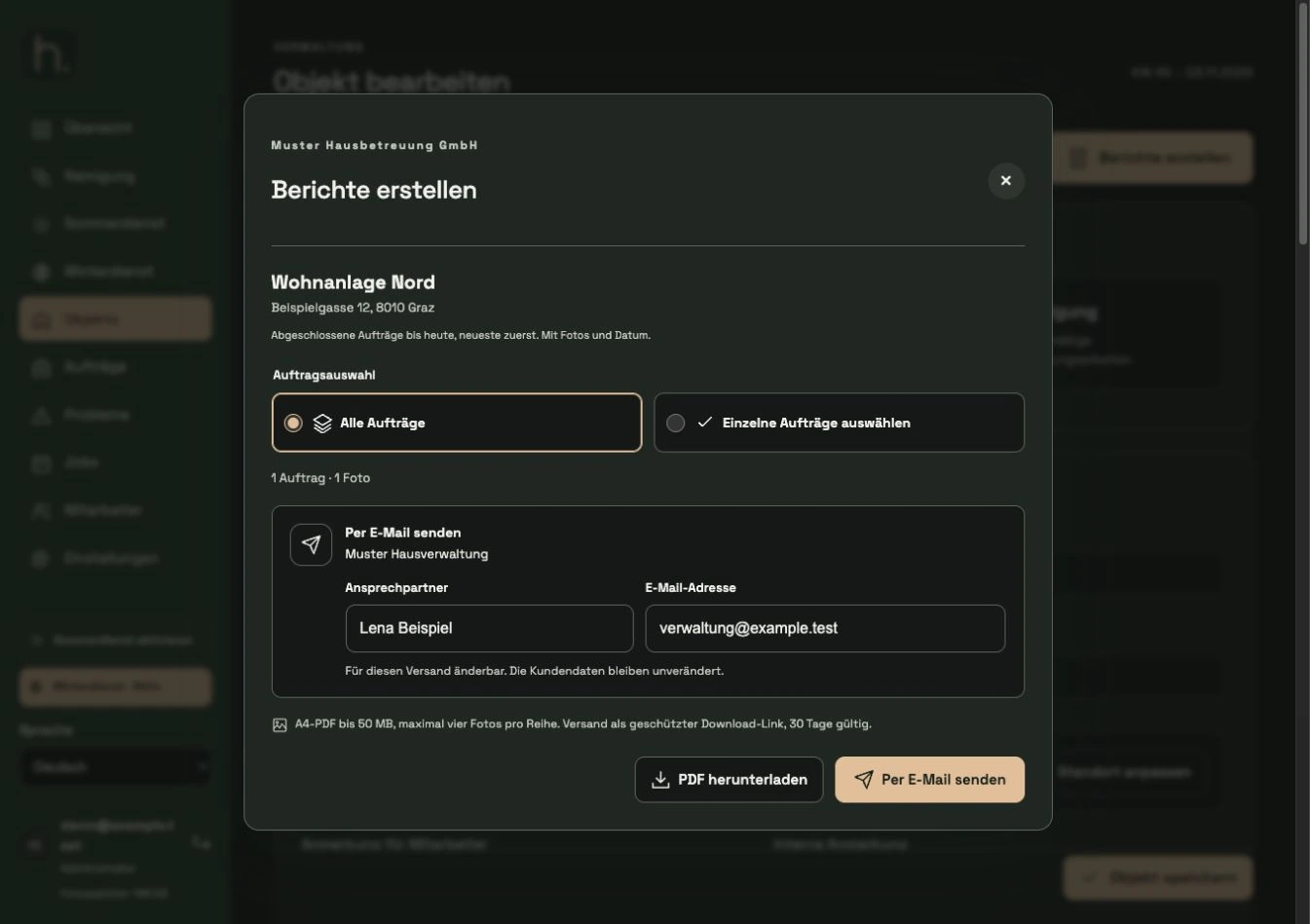
Open report function
Open the property in question. At the top right you will find Create reports. The report relates to this property and its completed work.
Select all or individual orders
Select All Orders or Select Individual Orders. When selecting individually, a list of available completed work is displayed.
Check selection
Check the activities, working days and number of photos. The most recently completed work is listed first. Work that is open or will only be completed in the future is not included in the current selection.
Download PDF
Click Download PDF. During creation, the interface shows the progress. Wait for the finished download.
Check document
The A4 PDF contains the property details, work completed and your photos. A maximum of four photos are displayed per row; Date and time help with tracking.
Check company appearance
Company name, customer logo and design colors depend on your saved settings. Review the finished report before sharing. Alternatively, you can send it directly via download email.
Frequently asked questions
Why can't I select an open work?
The property report serves to document work that has already been completed. Open orders must first be processed and successfully documented.