
Winter service · 2 minutes reading time
Sort a winter tour manually
Set the driving order yourself and move properties within the respective employee tour.
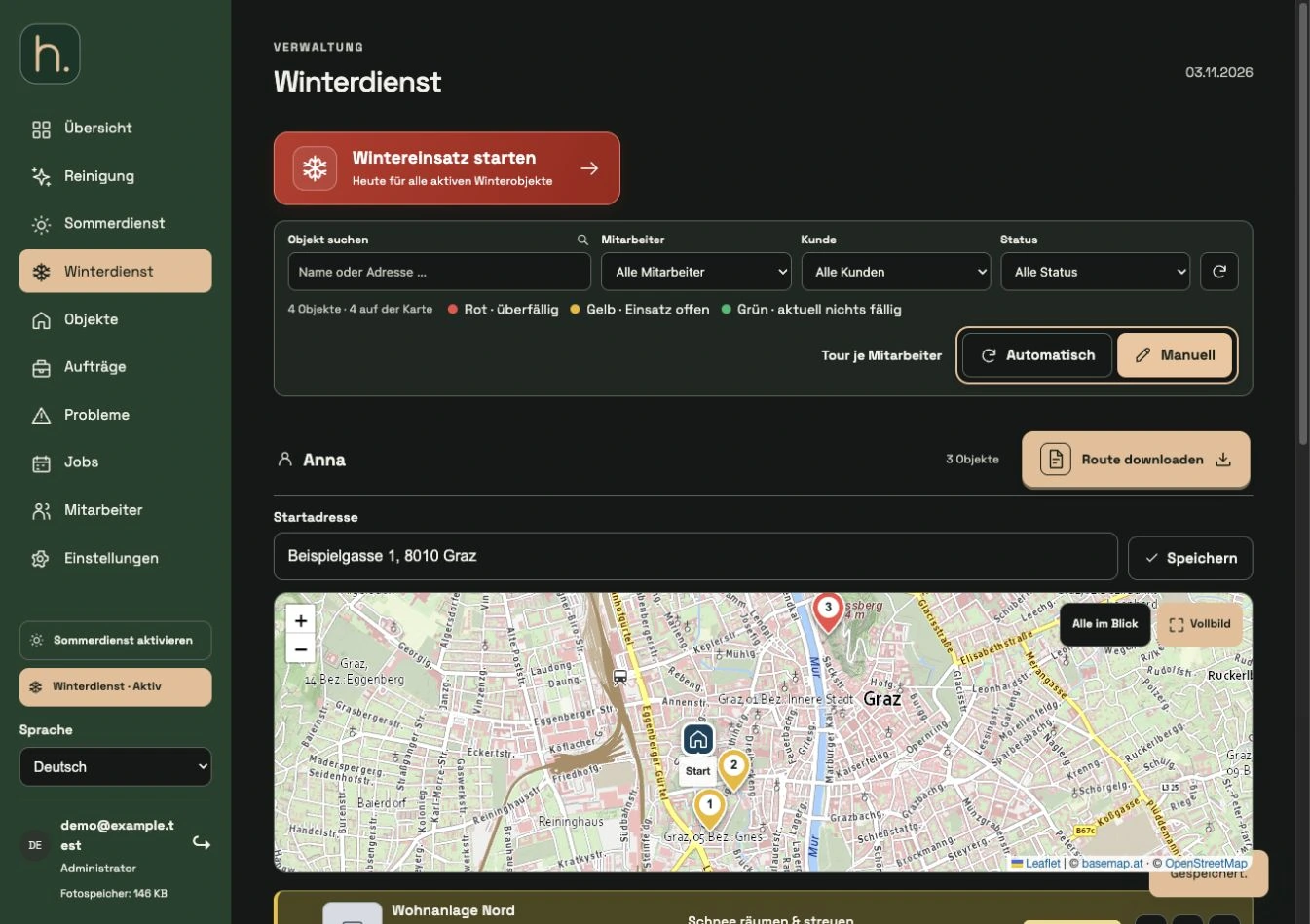
Switch on manually
Switch from automatic to manual in winter maintenance. The controls for moving the properties will then appear.
Select employee area
Find the right employee. The processing takes place within his tour; The order of another employee is not simply shifted as a result.
Move property
Use the move handle or the up and down arrows. For example, you can move the previously first property to the third position.
Wait for memory response
Wait for feedback after making a change. While saving, other controls may be temporarily deactivated.
Check new numbers
Check the new order in the list and map. The customized numbering is also used for the associated employee app and route expression.
Consciously reactivate the automatic system
If you want to schedule automatically again, switch to Automatic. This means that automatic calculation will be decisive in the future; then check the order again.
Frequently asked questions
Can the same location be ranked differently for two employees?
Yes. The driving sequence is managed separately for each employee, even if individual locations are assigned together.