
Employees · 2 minutes reading time
Assign employees to an property
Determine who oversees a location and distinguish between property assignment and responsibility for an individual job.
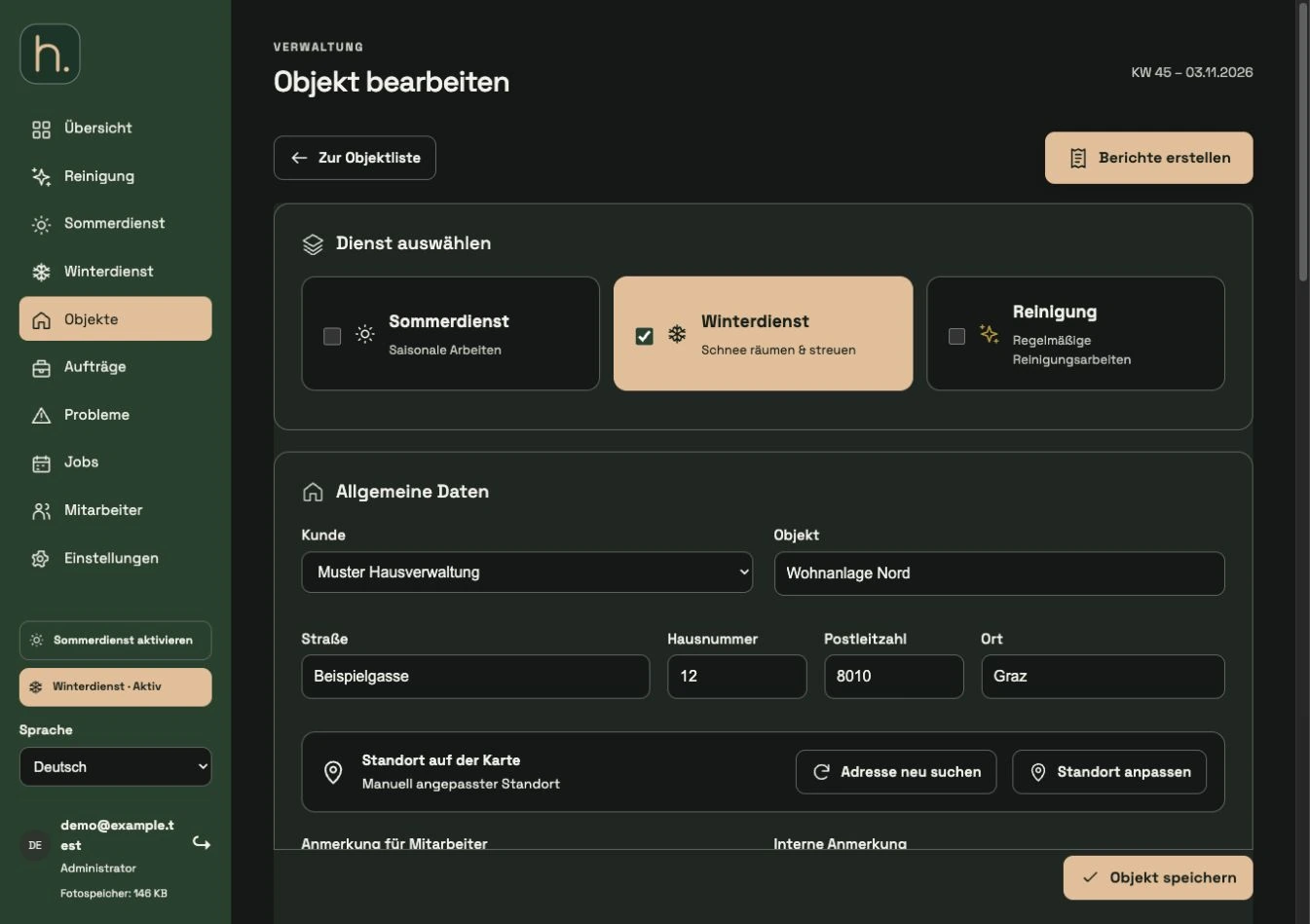
Open property
Open the relevant property in the property overview or in a service area. First, check whether you have selected the right location and customers.
Select responsible employees
Select the required people in the employee section of the property form. An property can be assigned to several employees if it is managed jointly.
Save change
Save the entire property form. Only then will the changed property assignment become binding.
Check individual jobs separately
In the Assigned orders section, check the responsible employee for each job. The responsibility of an existing work may differ from the general property assignment.
Check winter tour
For winter properties, a jointly assigned location can appear in several employee tours. Each employee receives their own order and numbering.
Check app view
If necessary, open the employee preview in the portal or update the real app. Also note the active seasonal service and the responsibility of the specific assignment.
Frequently asked questions
Why does the same property have a different number for each employee?
The sequence is planned per employee and starting address. A common property can therefore have a different position in each tour.