
Jobs & orders · 2 minutes reading time
Change the responsibility of a single job
Assign specific work to another employee without confusing the general property assignment.
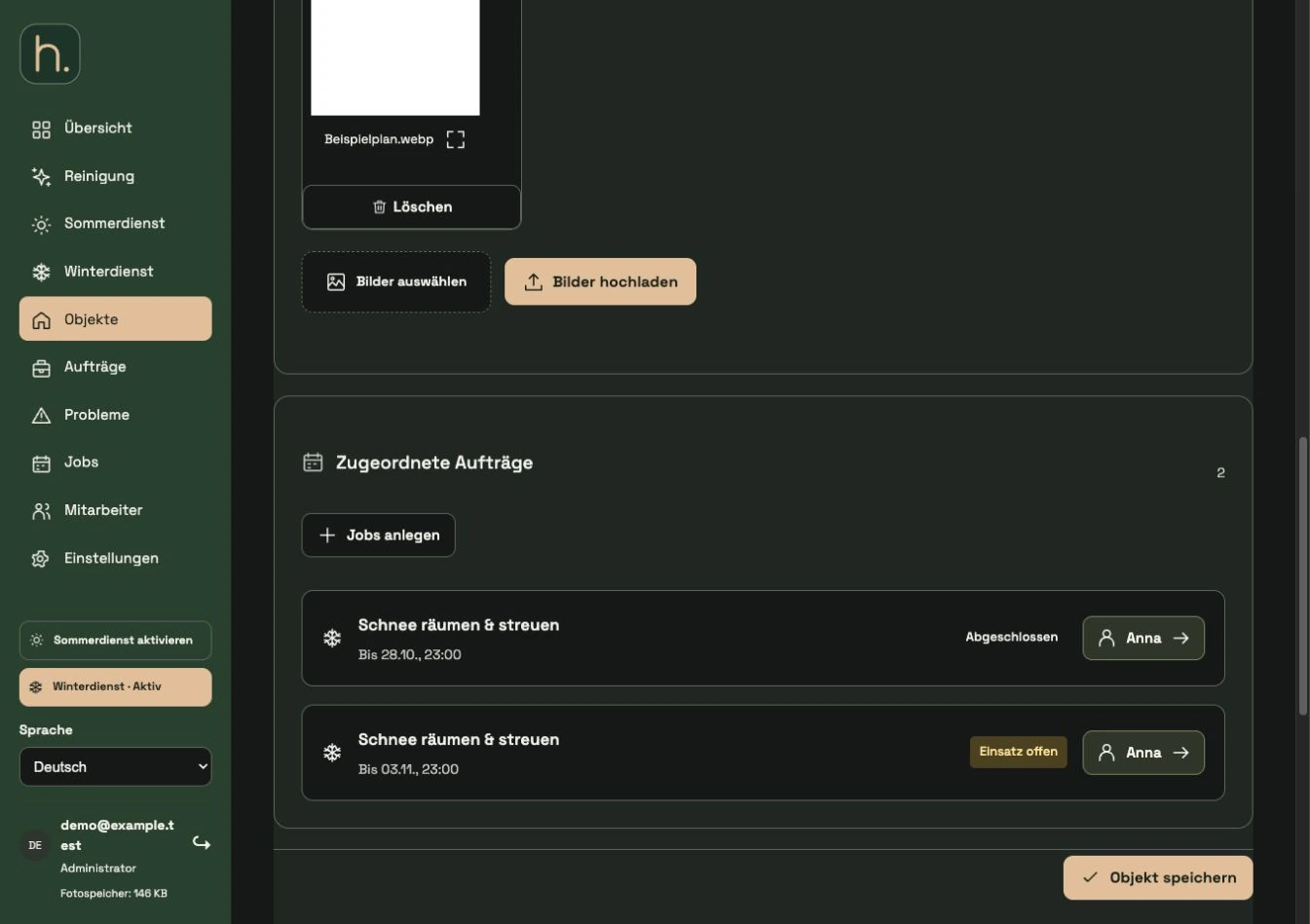
Find affected property
Open the property the job belongs to. Orientate yourself on the activity and the date shown so that you change the correct work.
Check job line
In the Assigned Orders section, each line shows the activity, due date and the responsible employee. The general property assignment alone is not sufficient for this control.
Open employee button
Click on the name or employee button for the relevant job line. The dialog about responsibility opens.
Select another person
Select the appropriate user in the Employee field for this job. The person must have previously been created as an employee.
Apply and save property
Accept the selection in the dialog and then save the entire property form. Accepting in the dialog alone is not a final saving of the property.
Update app
Control the new responsibility in administration and update the employee app. For recurring series, it is also important to check which future jobs or repetitions are affected.
Frequently asked questions
Can an property belong to multiple employees?
Yes. The property association can contain multiple people. A specific job also has an expressly responsible person.