
Winter service · 2 minutes reading time
Print a winter route as a PDF
Download the current employee tour with overview map, property pages, plans and navigation QR codes.
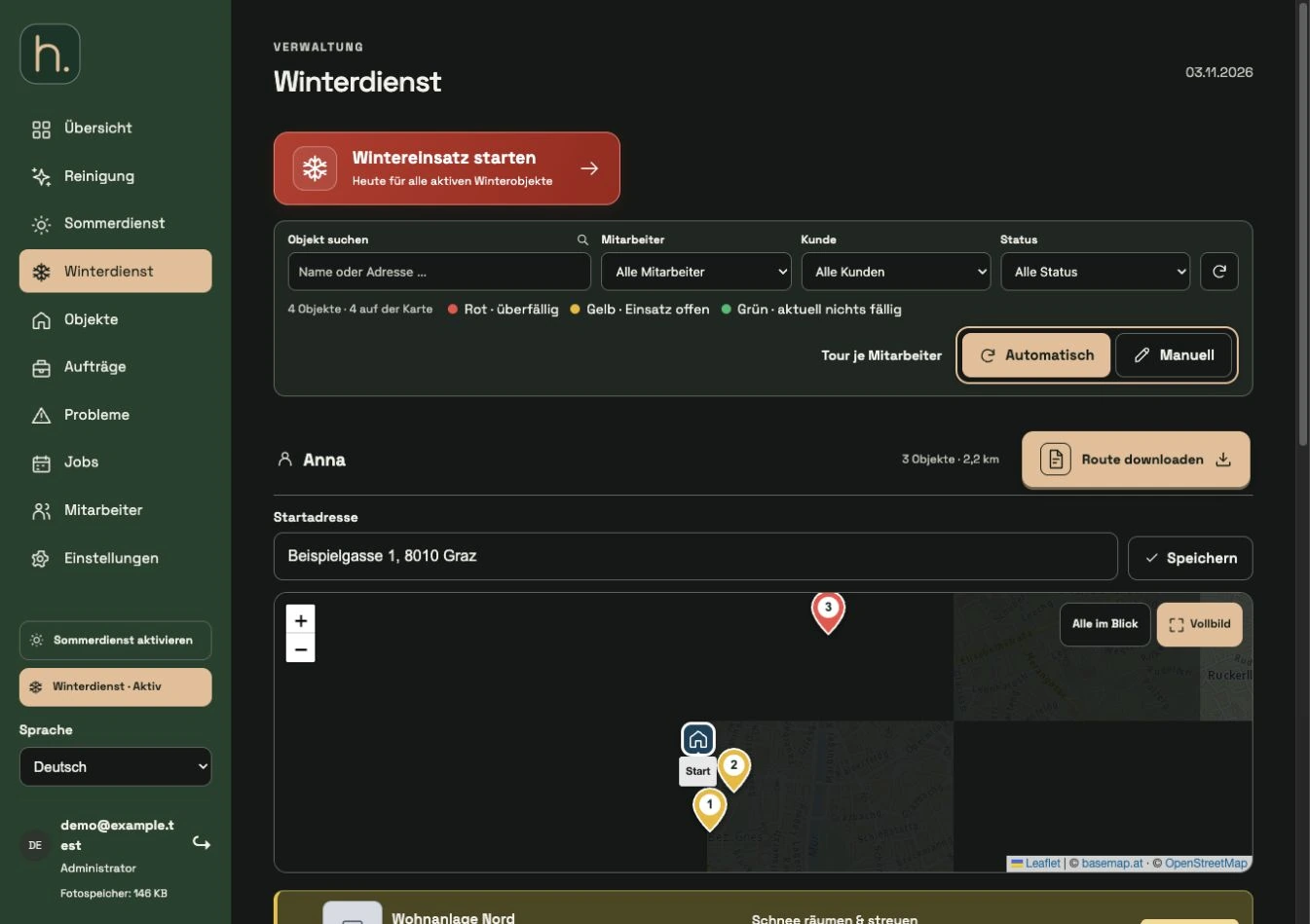
Prepare the tour
Control start address, map locations and automatic or manual employee order. Store the required property plans and employee instructions.
Check visible selection
Check the filters. The download depends on the currently displayed property sequence in the relevant employee area. A restricted selection results in a partial route.
Download route
Select Download route for the desired employee. Wait for the PDF to be created; Meanwhile, the button shows the processing.
View overview map
The first page contains a large overview map in A4 portrait format with starting point and numbering. It serves as orientation about the area of operation.
Check property pages
Each property then has its own page with the property name, address and existing plan. Employee information is prominently displayed above the plan. The Google Maps QR code takes into account the saved map location.
Print or share
Open the PDF and print it if necessary. Company name, selected logo and colors depend on your saved settings. After a plan or sequence change, create a new expression.
Frequently asked questions
Why is the number of pages greater than the number of properties?
In addition to the individual property pages, the overview map is at the beginning of the PDF.