
Settings · 2 minutes reading time
Find help and contact support
Use the wiki for instructions and the support ticket for questions about your company area.
Search instructions
Open the help and search for the function name, such as create property, days of the week or winter route. The topic areas also lead to the appropriate articles.
Open Software Support
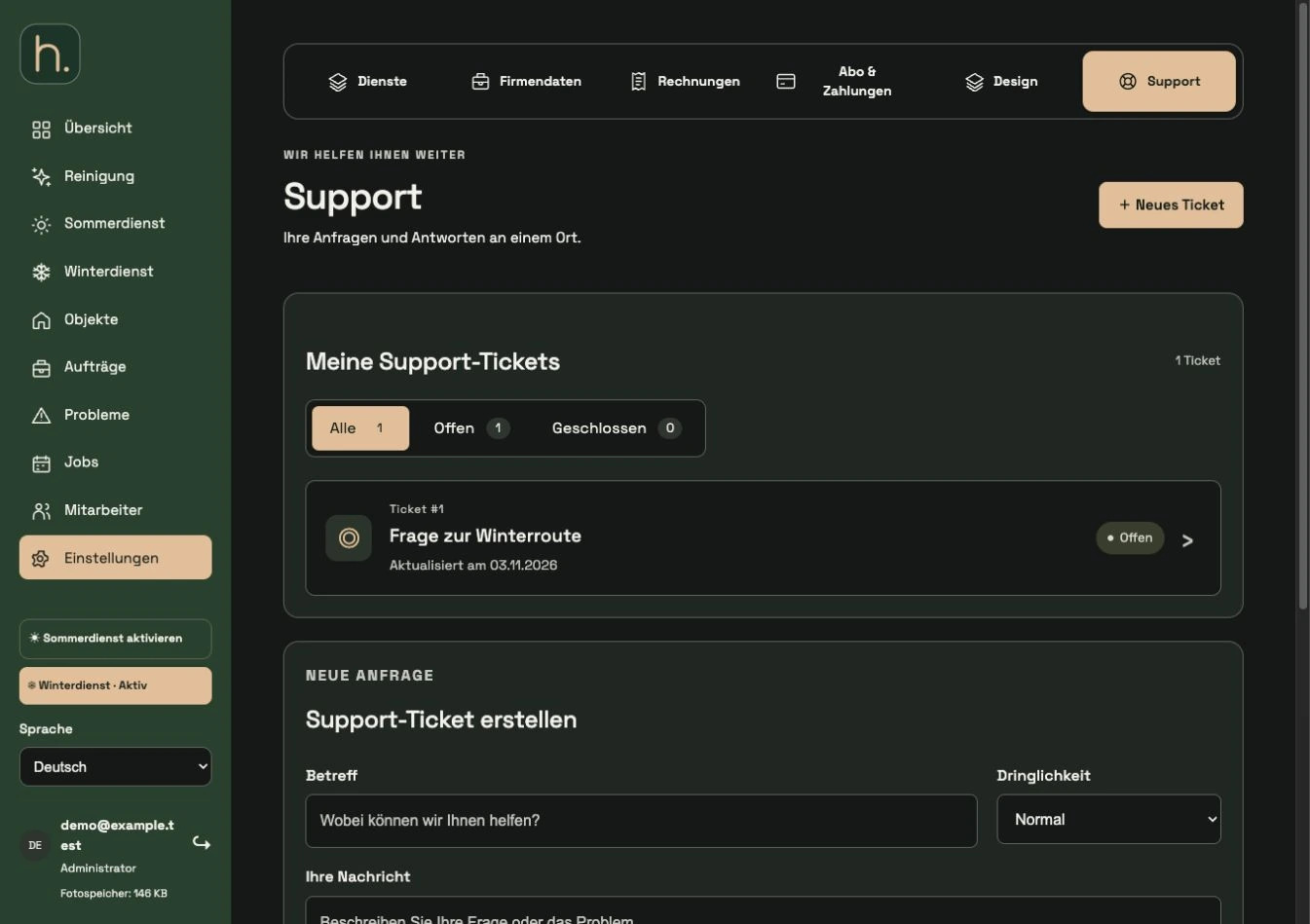
For a specific question, select Settings → Support in the customer portal. There you will see existing requests and can create a new ticket.
Describe the question precisely
Enter a meaningful subject, urgency and a detailed description. If an error occurs, state the area, time, and message displayed.
Attach appropriate images
You can add screenshots in the format offered. Only show the information necessary for the question and avoid unprotected passwords in the image.
Create ticket and read response
Submit the ticket and later open the message history of the request. The overview can be filtered by open and closed tickets.
Use personal contact
On the main website you will find the contact options offered for personal support, including telephone or WhatsApp. Technical reports from the property, on the other hand, belong in the Problems area.
Frequently asked questions
Should I report a loose sidewalk stone as a support ticket?
This is initially a problem with the property and is part of the internal processing in the Problems area. A software support ticket concerns questions about the application itself.