
Jobs & orders · 2 minutes reading time
Use a finished job template in the property
Transfer a saved activity and scheduling to a concrete property.
Prepare template
Create the required template under Jobs beforehand. It can contain either specific calendar weeks or recurring weekdays.
Open target property
Open the property to which the work should be assigned. Check whether the associated service and the service offered are suitable.
Turn on template selection
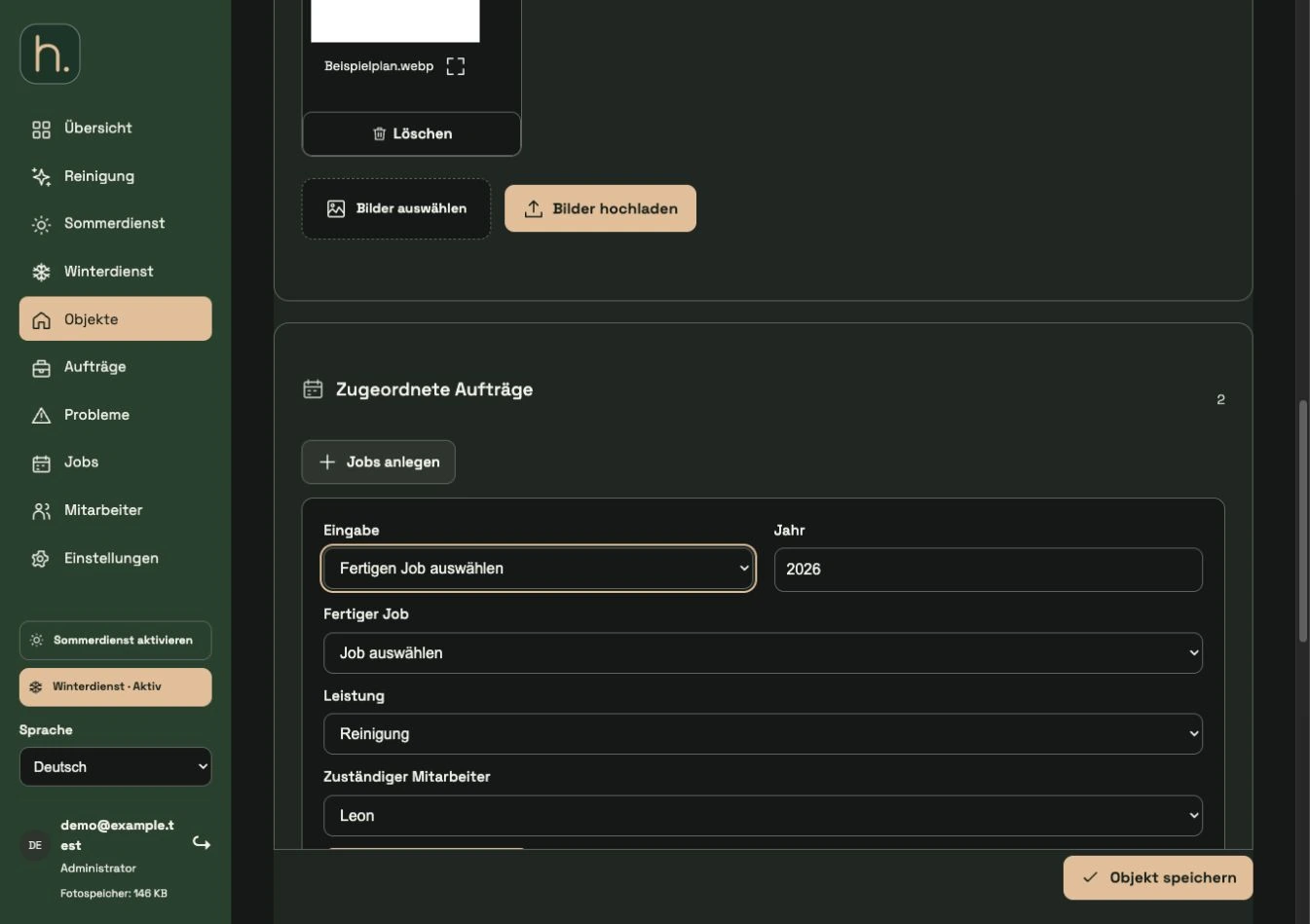
Expand Create jobs and set input to Select finished job. In the Finished Job field, select the template you want.
Add assignment
Select Performance and Employees. For a calendar week template, add the year; for a weekday template, the saved weekly selection is adopted.
Plan job
Apply the selection via Save order. Check the resulting lines in the Assigned Orders section.
Save property
Save the entire property. Repeat the process for additional properties for which the same template should be used.
Frequently asked questions
Will subsequent template editing change my existing property jobs?
No. Changes to the template apply to future assignments. Tasks that have already been created are managed separately.