
Winter service · 2 minutes reading time
Plan winter tours automatically
Get your own numbered sequence with an individual starting address for each employee.
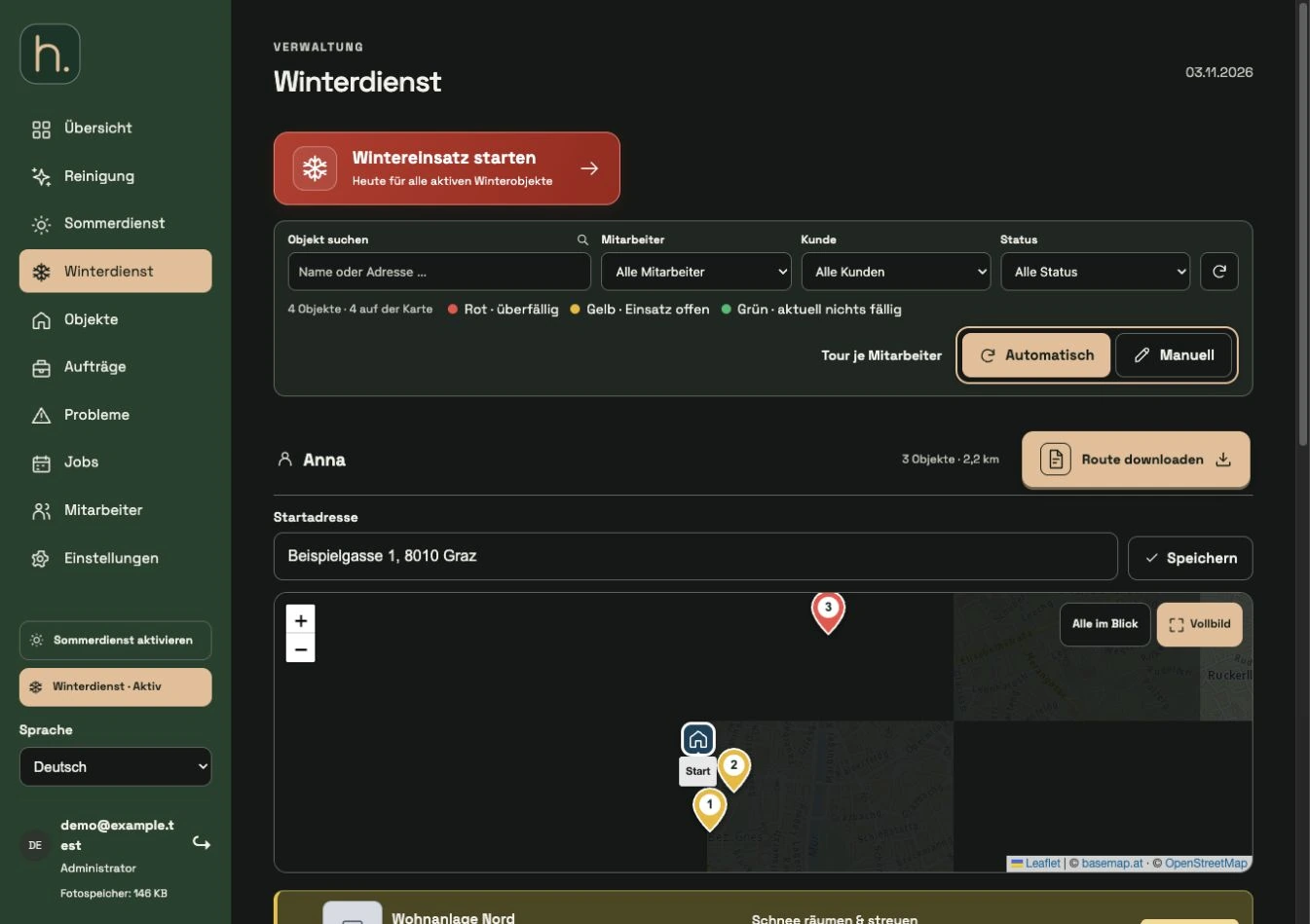
Select automatically
Open winter service and set the tour planning to automatic. The overview combines a card with the associated property list for each employee.
Save start address for each employee
Enter the full starting address with street, house number, zip code and city in the respective employee area. Confirm the address by clicking Save.
Control map locations
The planned properties require a usable map location. Missing or incorrect locations must be checked in the property and adjusted manually if necessary.
Wait for calculation
The system puts together a sensible driving sequence for the employee based on the road network. If there are new properties, changed addresses or responsibilities, the planning is updated accordingly.
Read numbering
The numbers belong to the respective employee tour. They match in the associated map, list and employee app. Shared properties are classified separately for each employee involved.
Check before use
Check the order and any location reports. For a deliberately self-determined order, switch to Manual. You must take current closures, weather and local circumstances into account yourself.
Frequently asked questions
Are the lines between properties part of the display?
The tour is represented by a starting point and numbered properties. Connecting lines are not displayed in the current overview.